COMPANY
ROLE
TEAM
TIMELINE
OVERVIEW
On average, nurses care for nearly 6-8 elderly residents at a time and communicating with their caregivers on a daily/weekly basis. This arduous process, and the unique communication challenges that older adults pose to healthcare staff, can delay nurses from completing their daily duties.
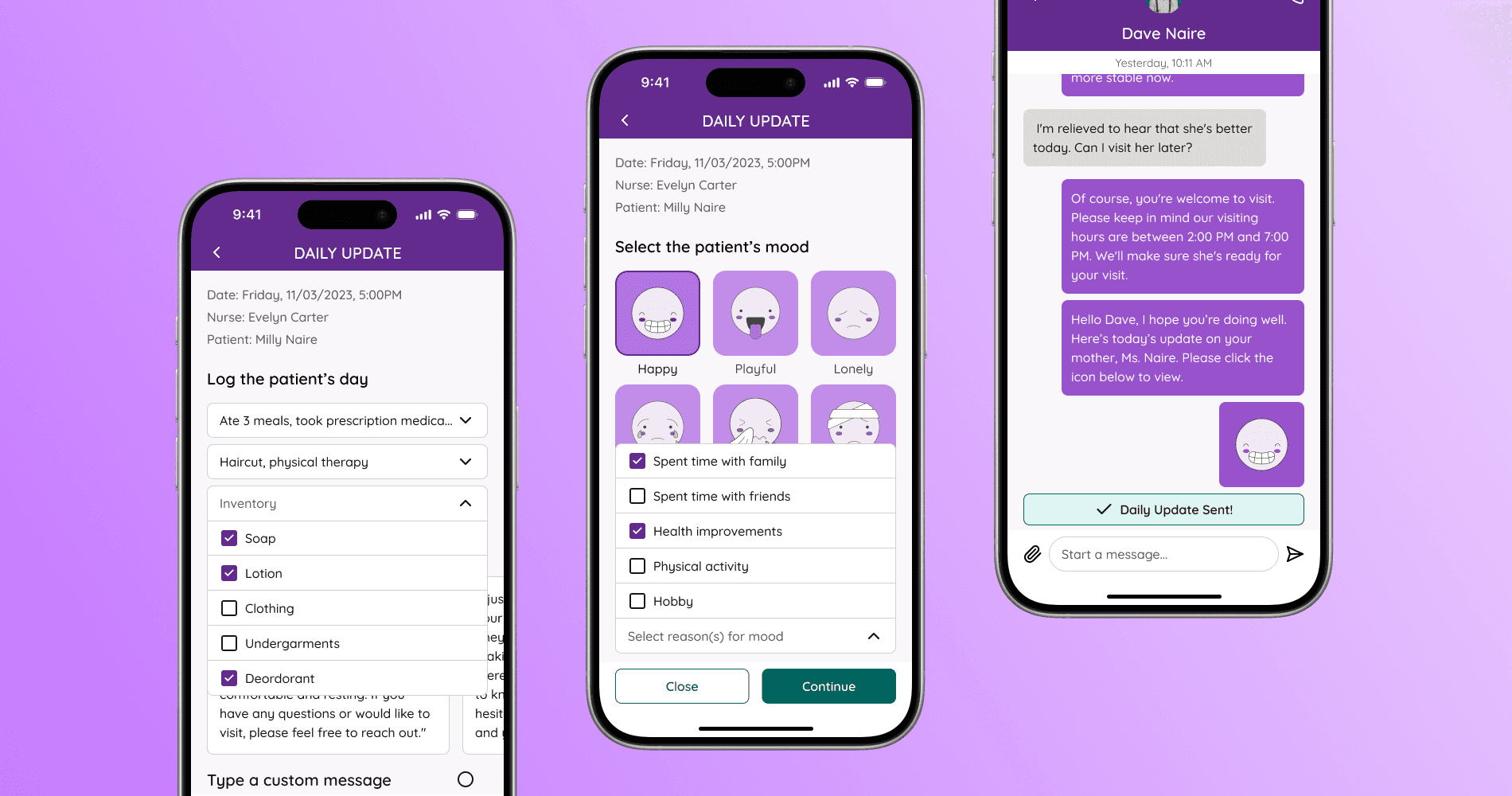
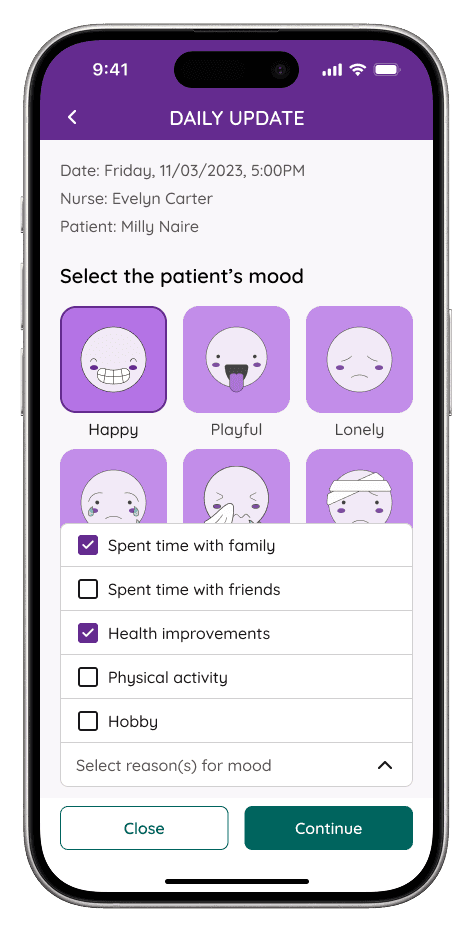
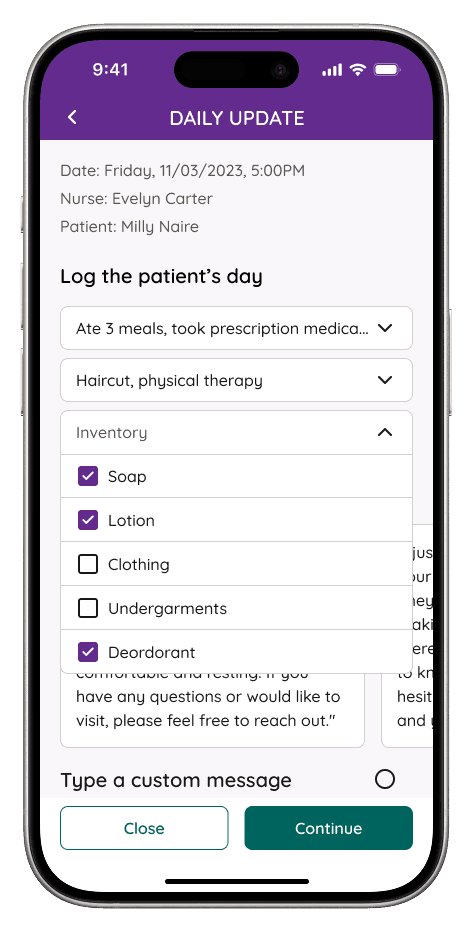
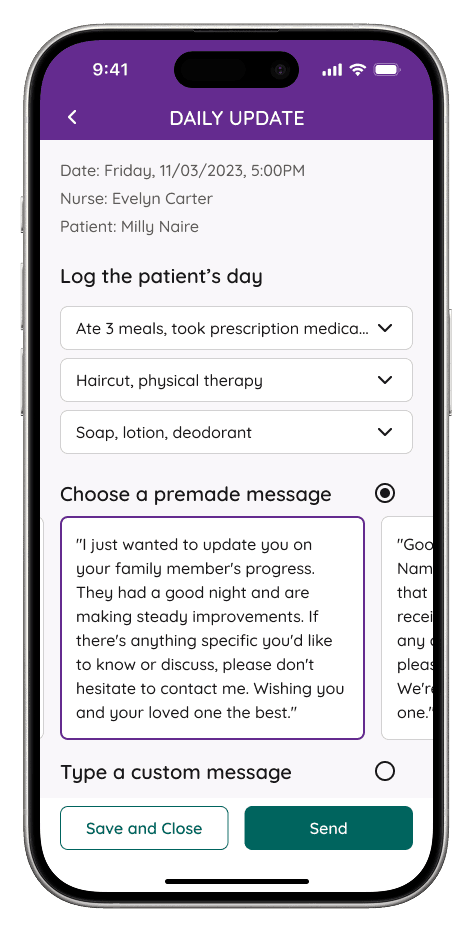
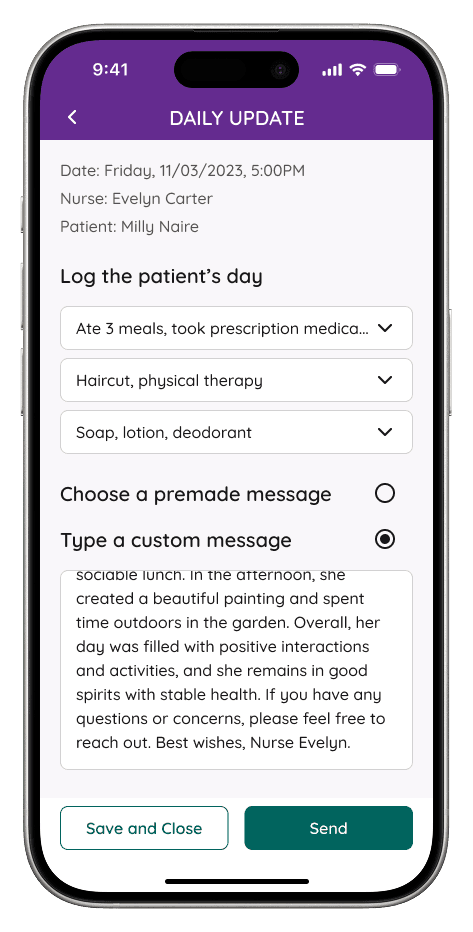
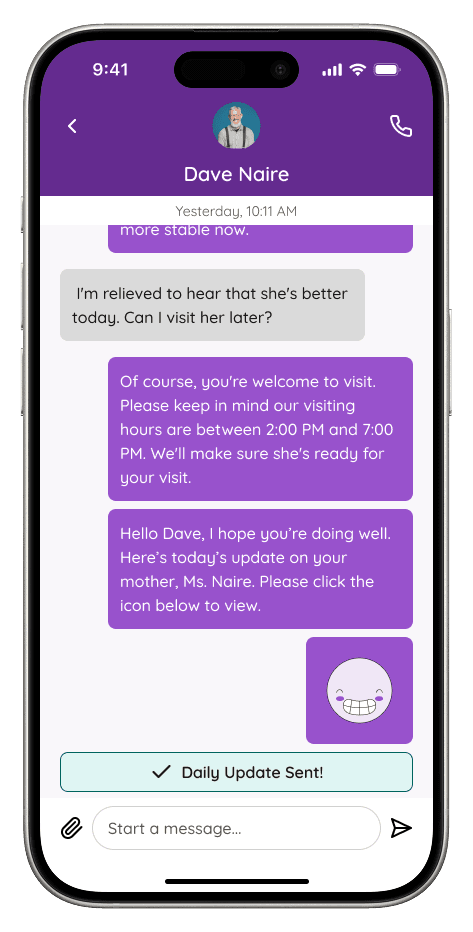
The client requested us to design a new messaging feature to implement into the app called the "Daily Update". This will allow nurses to communicate with family caregivers on a faster basis while completing their day-to-day tasks.
DISCOVERY
To better understand the feature we were designing, my team and I outlined questions regarding the client's business goals, potential competitors, and essential functions of the Daily Update feature.
Seniors in Transition's primary business goal is to expand across other cities within the U.S., namely healthcare facilities, as it seeks to gain more users.
Companies like Caremerge and Cliniconex are direct competitors that utilize similar messaging capabilities the client would like to see emulated into the new feature.
This iteration of the "Daily Update" feature is solely focused on the nurse's perspective as they're the only users authorized to input patient-related information.
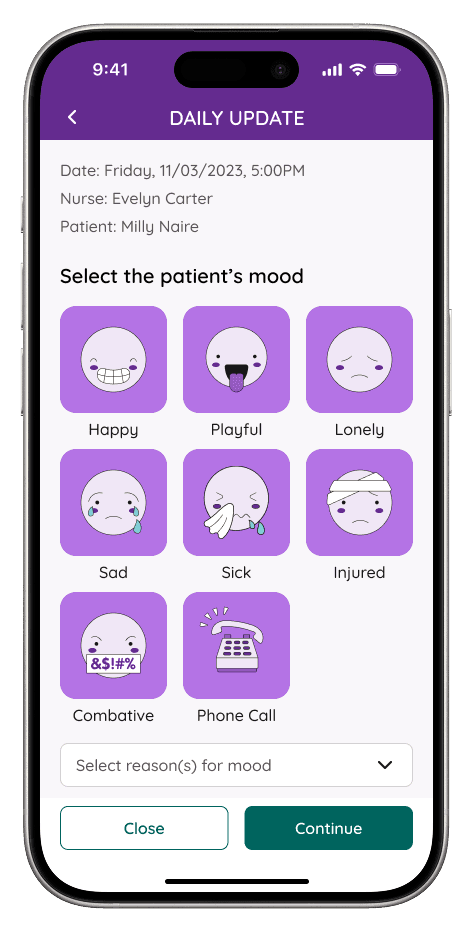
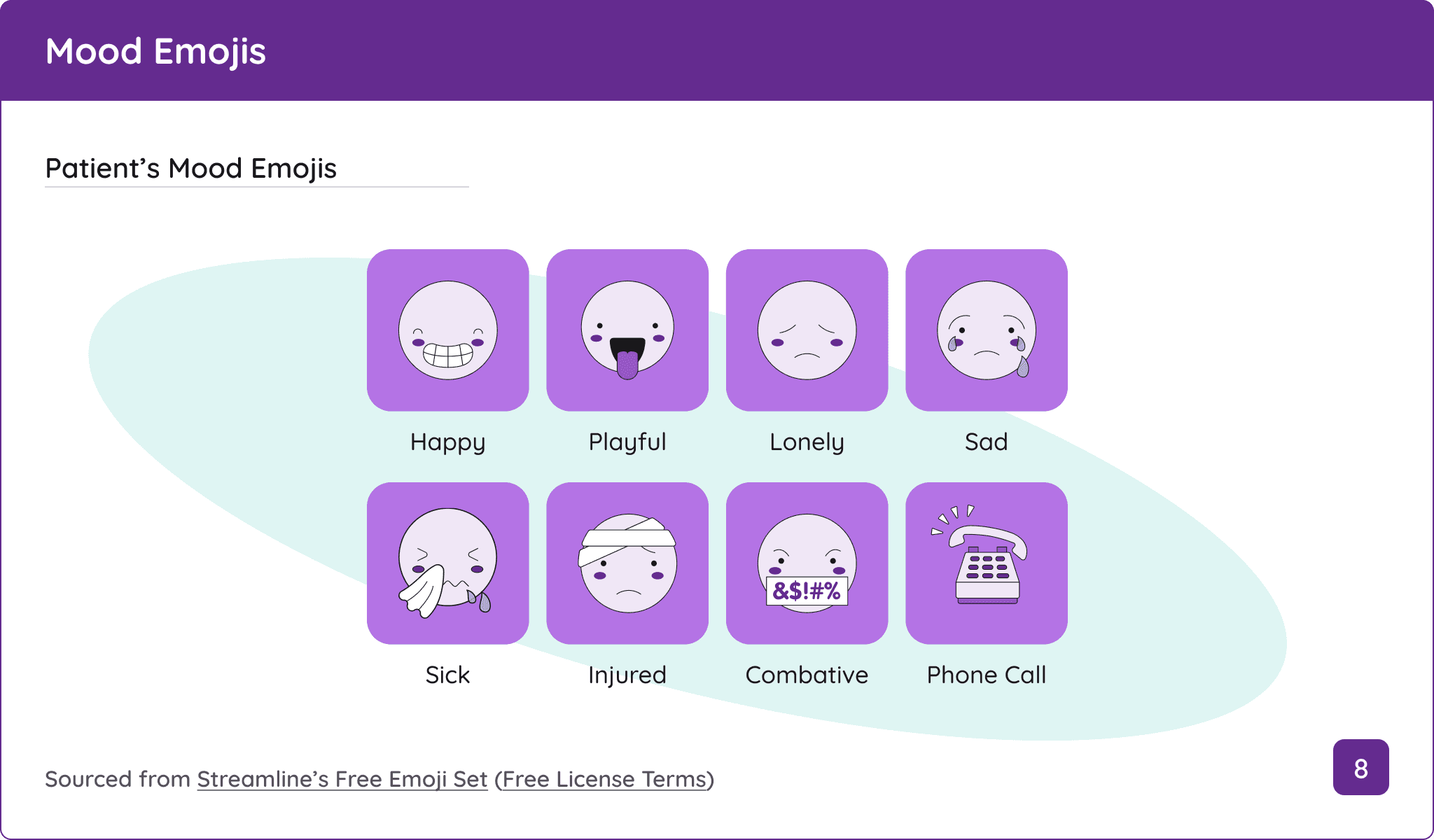
The client requested illustrated emojis and premade/template text messages to be incorporated to streamline the communication process.
While my team and I were unable to access Caremerge and Cliniconex due to demo scheduling conflicts that overlapped with our deadlines, we discussed with the client to find other competitors within the caregiving and medical space to gain a deeper understanding of how they approach patient health tracking and messaging features.
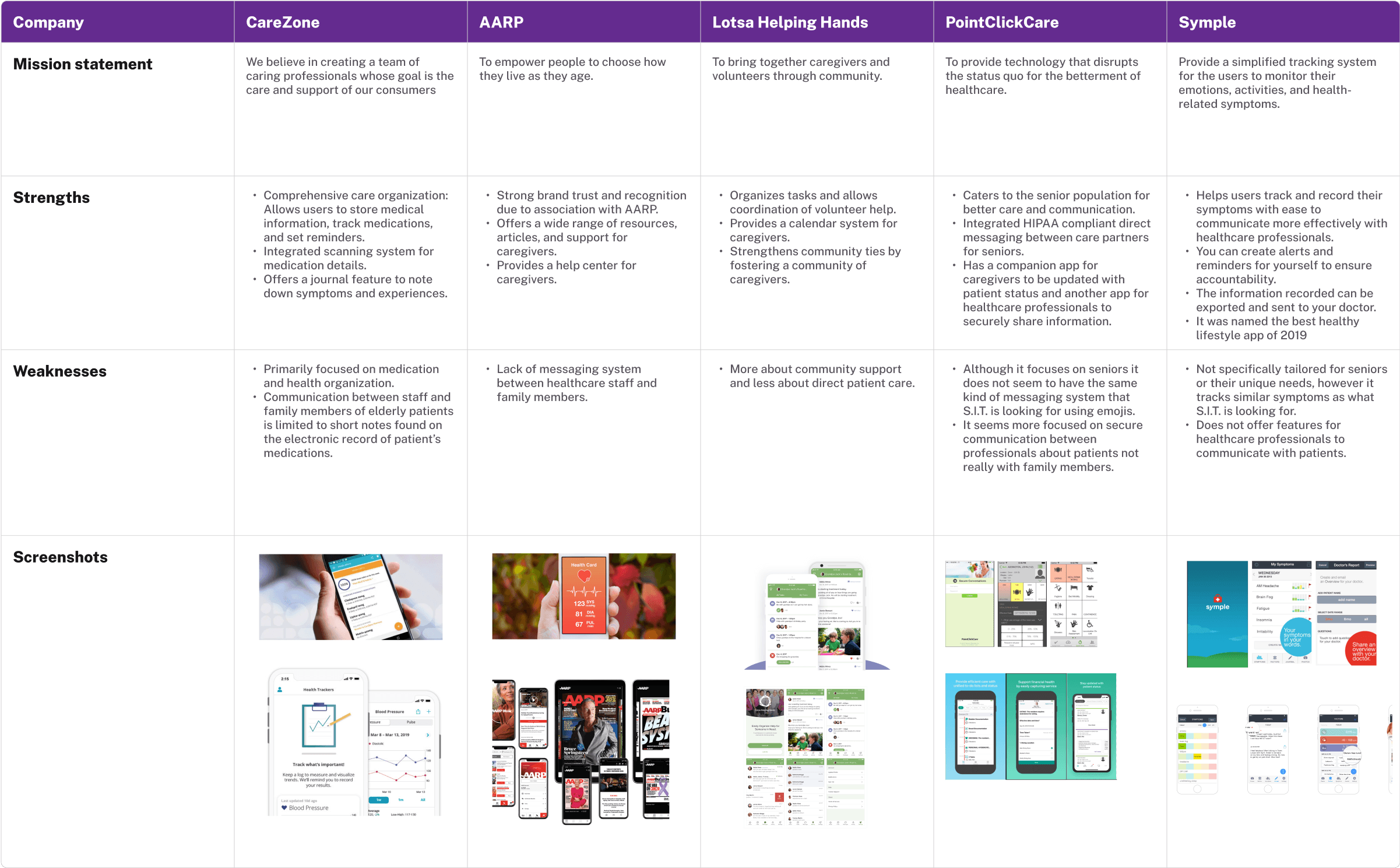
The majority of the competitors either have messaging functions restricted to medical personnel only or brief messages dispatched by staff to a resident's main caregiver for their awareness.
Typically, graphical elements, like icons and illustrations, are used for interactive buttons in recording patient health information.
The user interfaces of each app look outdated despite receiving timely updates as recent as a few weeks or months.
IDEATION
Based on our competitive market analysis findings, not every caregiving/medical product provided the same messaging functionality the client aimed to provide in S.I.T. With this in mind, we collaborated with the client to identify the necessary amount of screens for this feature, and mapped key touch points of standard messaging flows from other apps that can be applied to the current architecture of the S.I.T. mobile app.
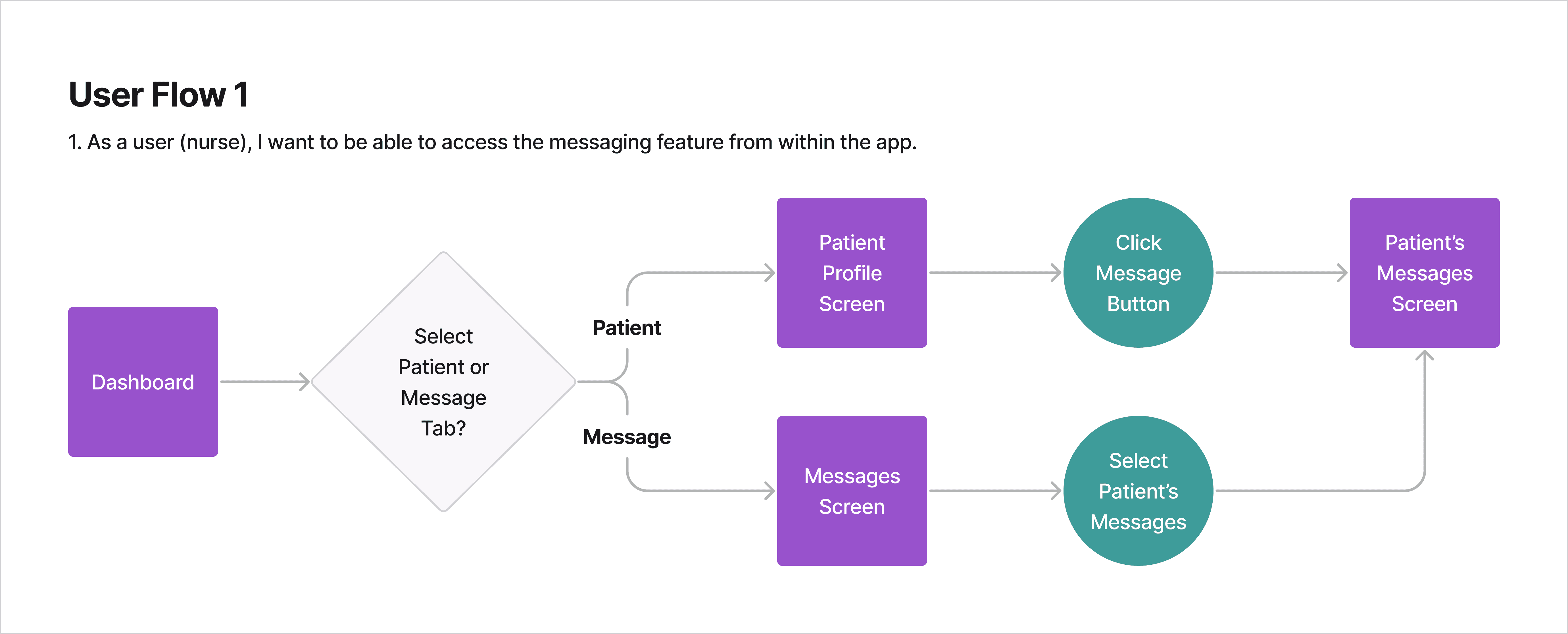
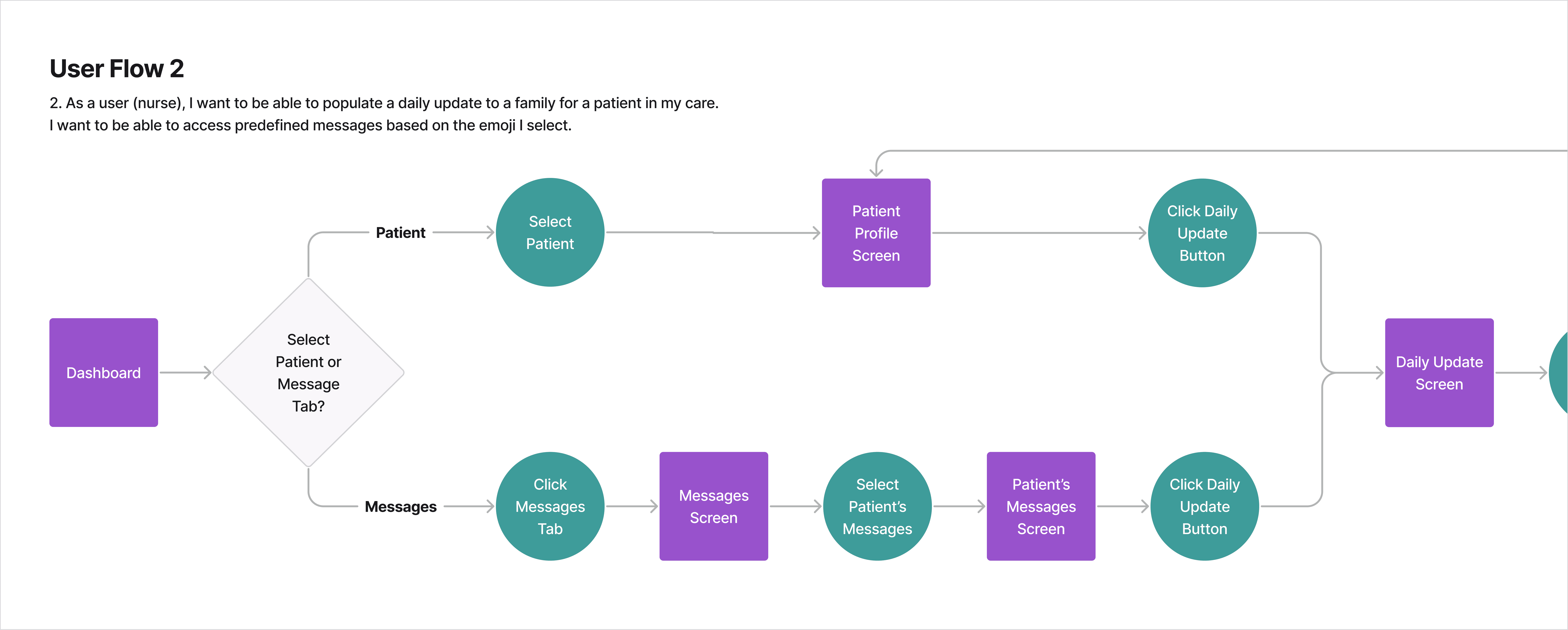
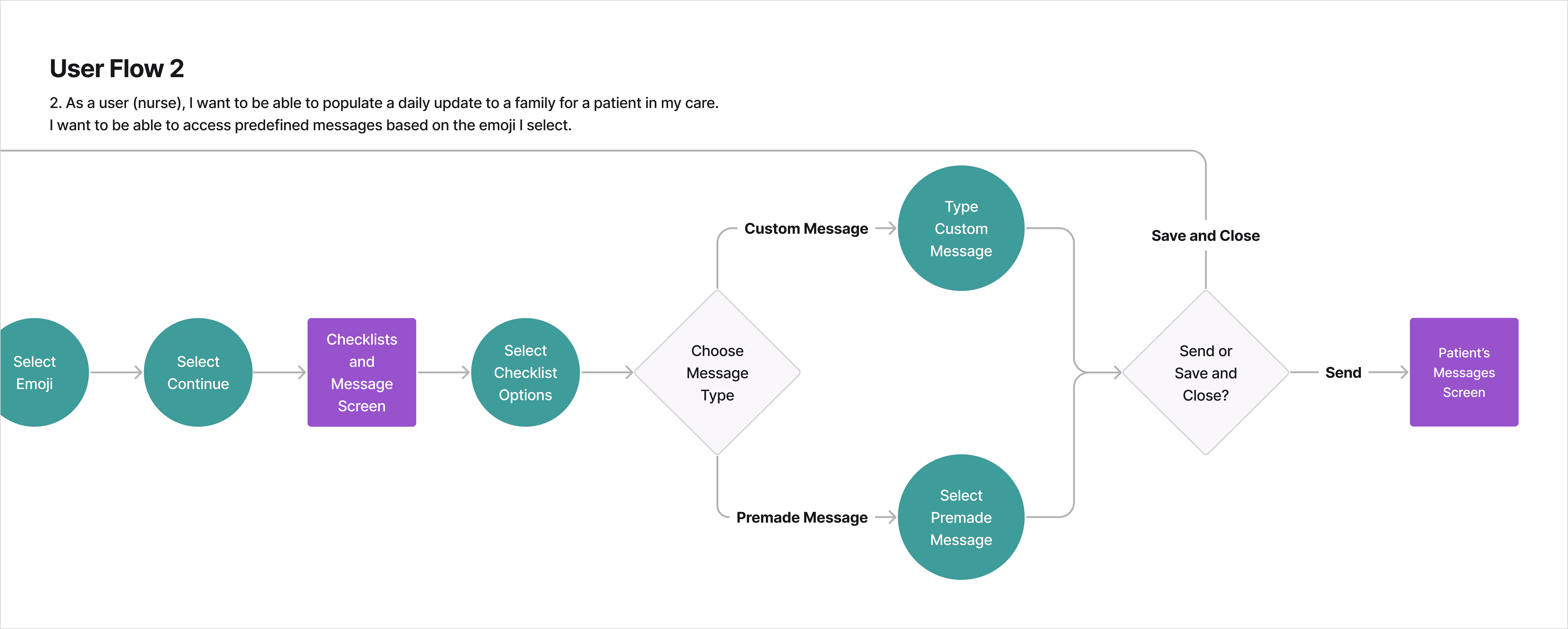
With the six key screens identified, I designated two screens for each team member and myself to craft low-fidelity wireframes in Figma.
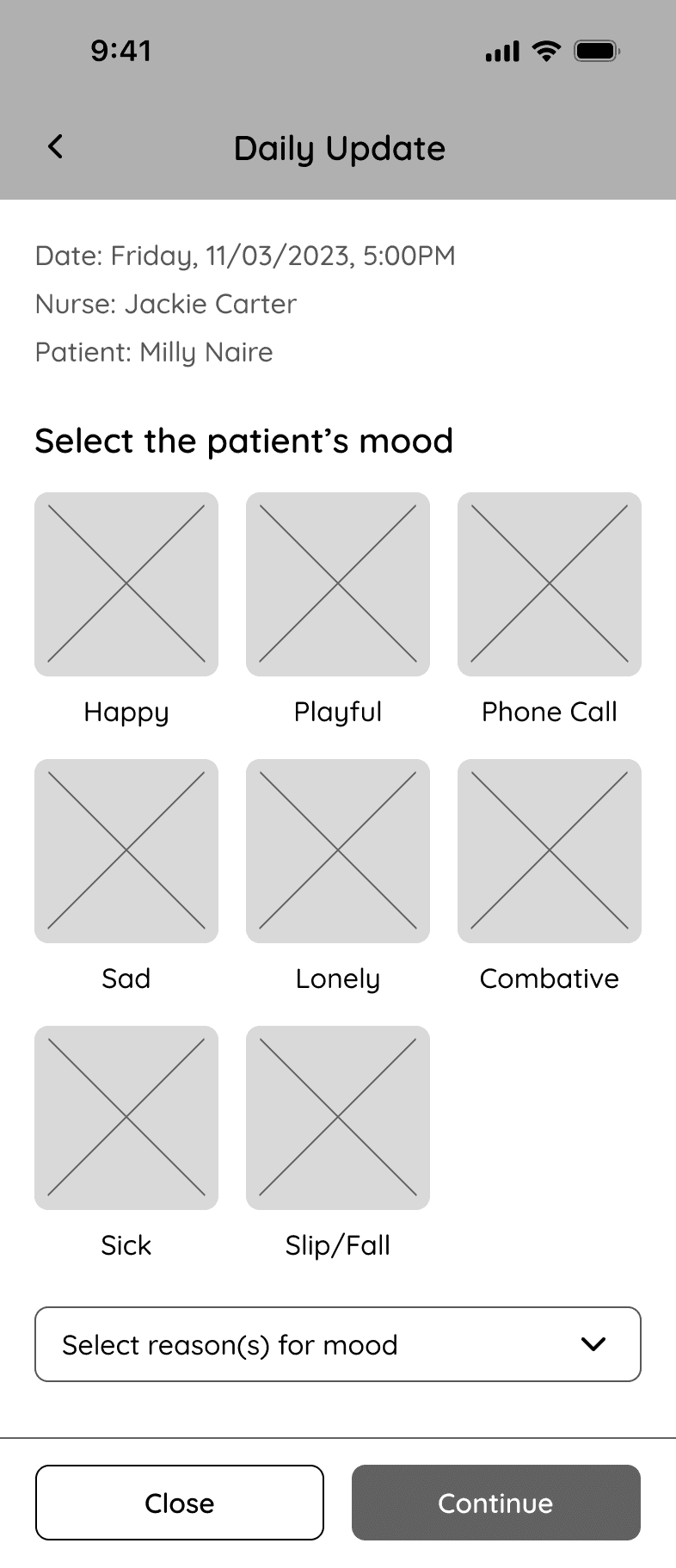
I designed the screens with a modal to allow users to quickly complete and send their updates without leaving the previous screen. I initially assumed the feature's functionality wasn't complex enough to display on a full-screen.
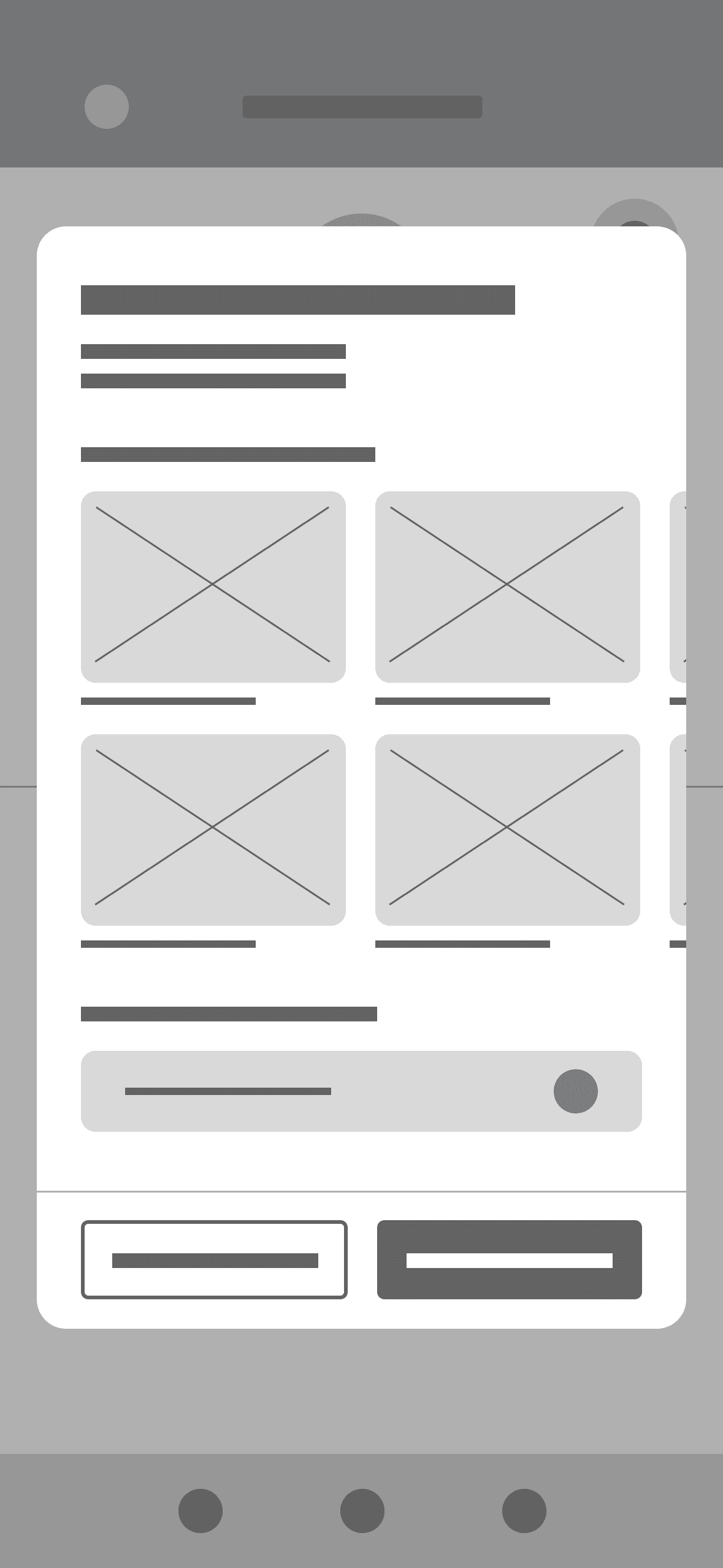
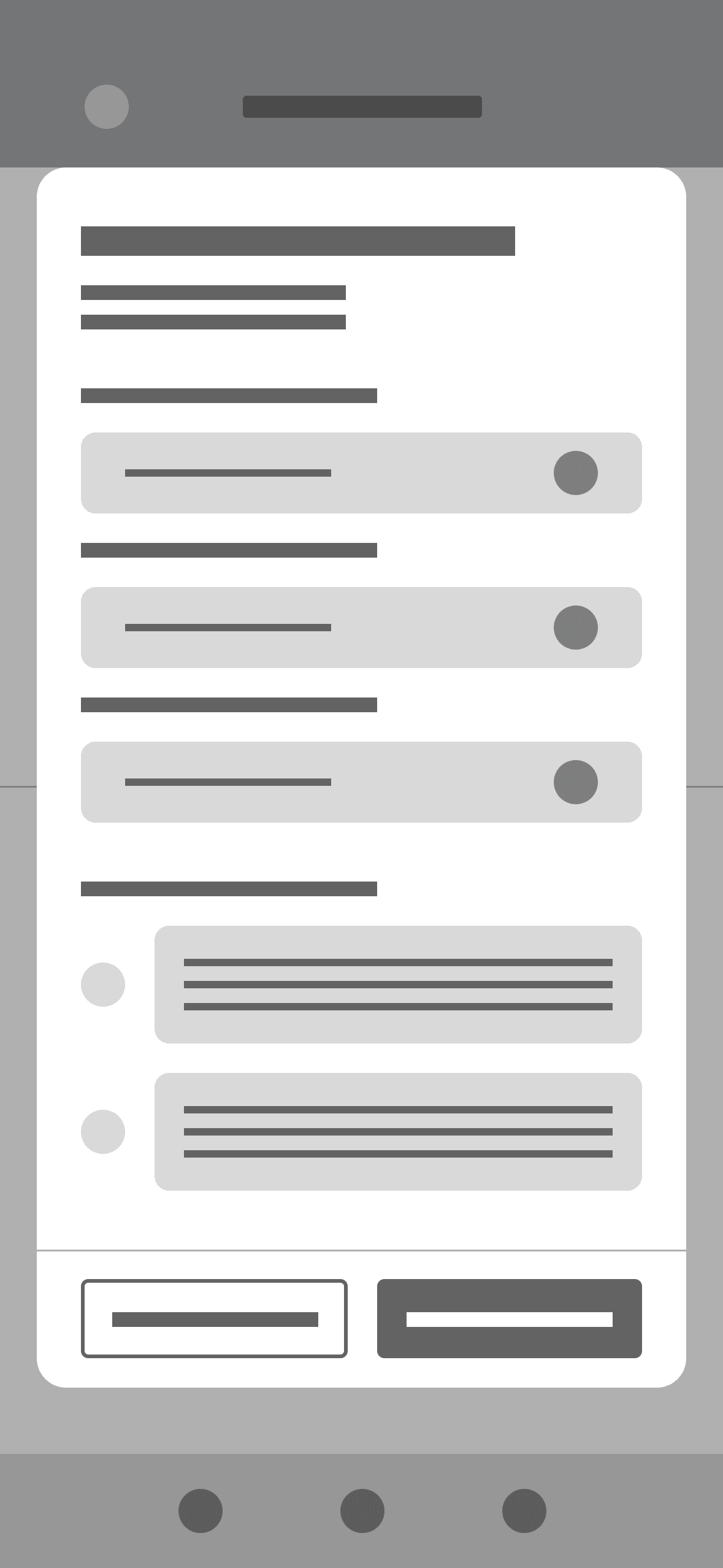
Upon receiving feedback from my team, our project manager, and the client, I realized that my initial approach to these screens posed potential usability challenges and didn't follow best practices for using modals.
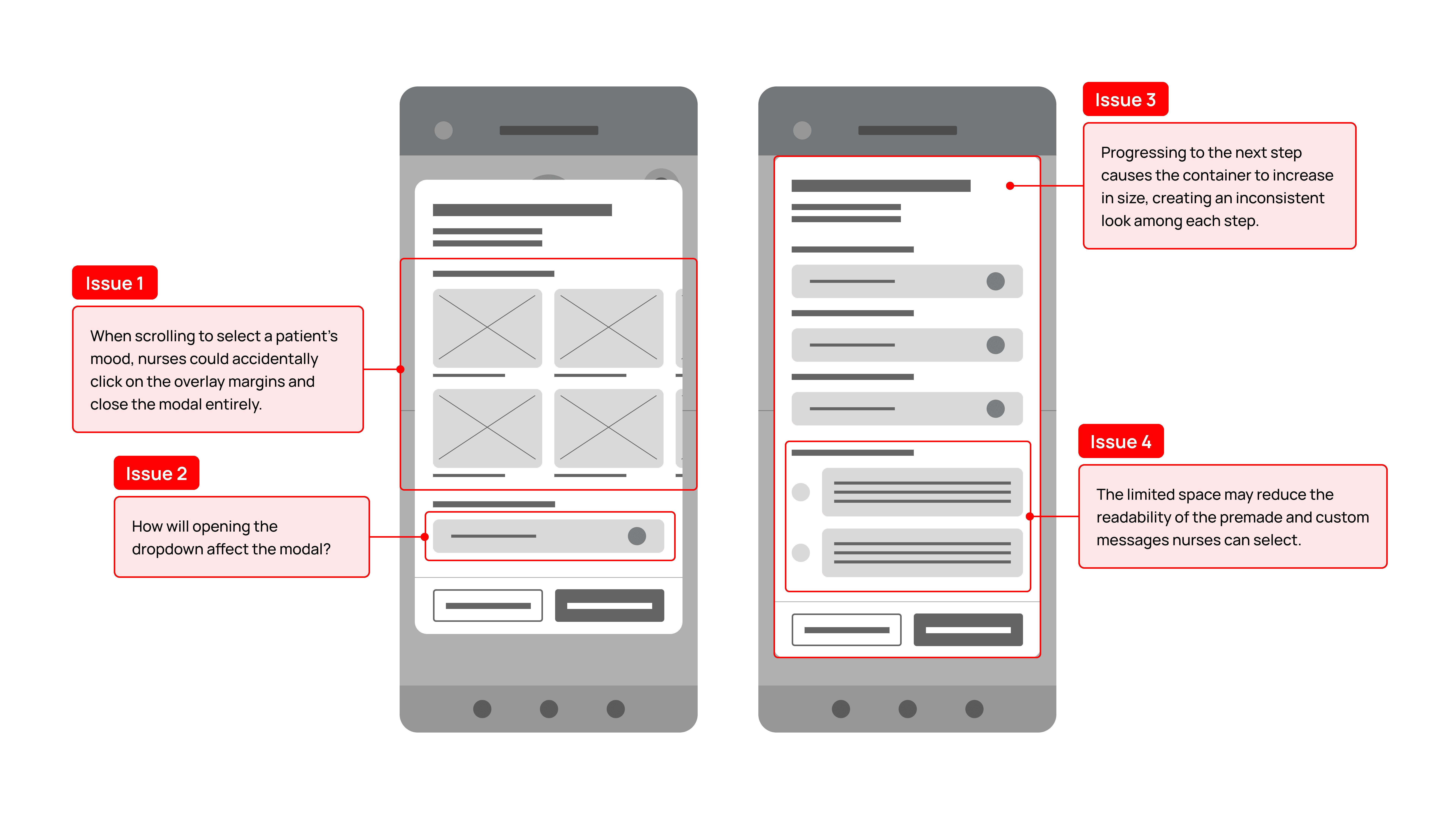
After receiving constructive feedback from my team members and researching best practices for using modals, I expanded the interface into a full page.
Through this change, I was able to:
Reduce user scrolling by vertically display all available mood emojis as opposed to a horizontal scroll that cut off 4 out of the 8 mood emojis.
Improve information architecture, visual placement, and spacing of interactive UI elements.
Maintain design consistency with the mobile app.
DESIGN
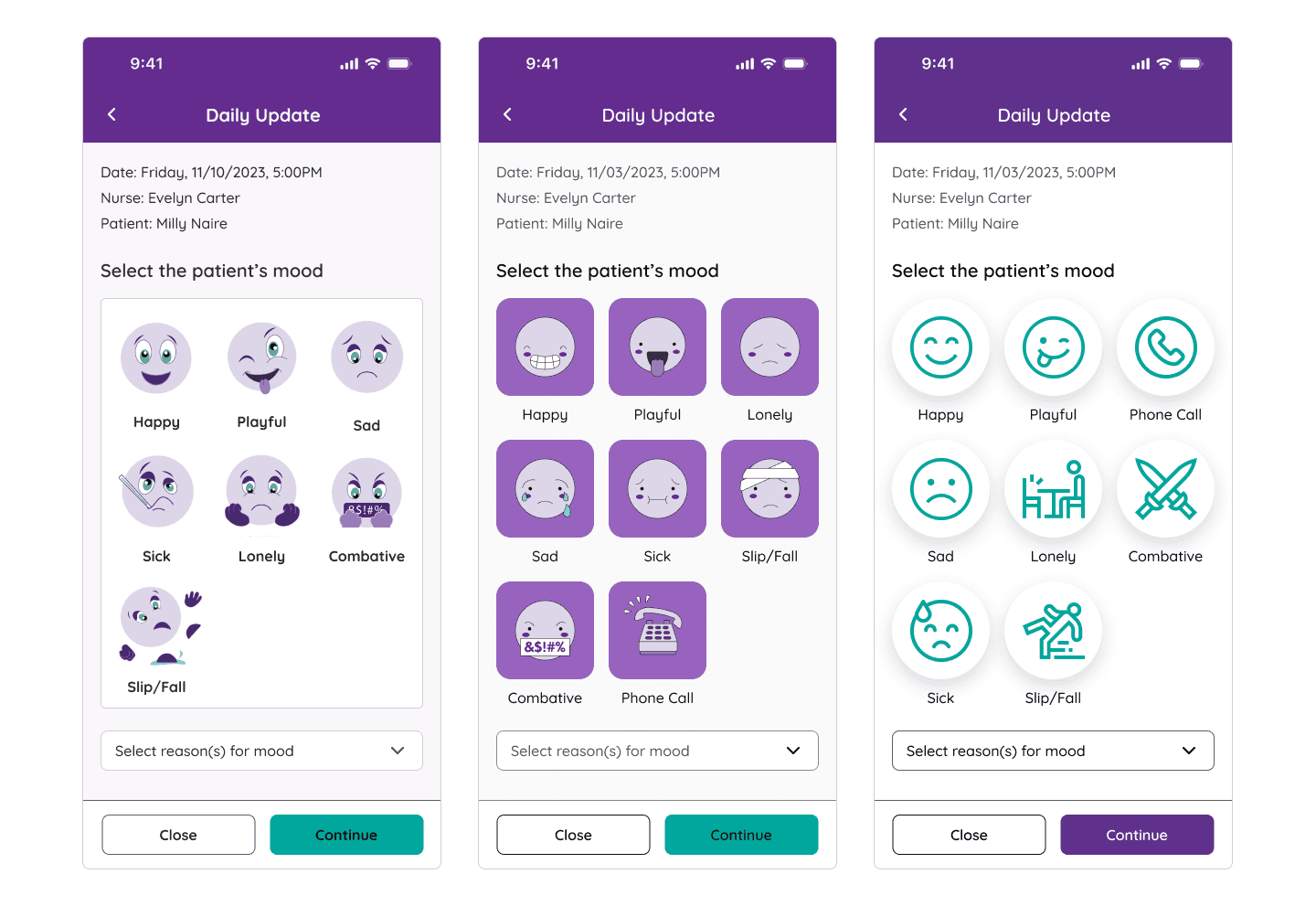
Before diving into high-fidelity work, I instructed my team to created 3 different versions of the Daily Update's first page to define our design direction for this feature. Based on our user flows and conversations with the client, we assumed this page would see the most traffic from nurses, so having this as our focus would expedite the process of elevating the mid-fidelity wireframes.
We specifically iterated on the mood emojis and the CTA button to avoid overhauling the app's established design, and increasing the project's scope and workload for the client's development team.
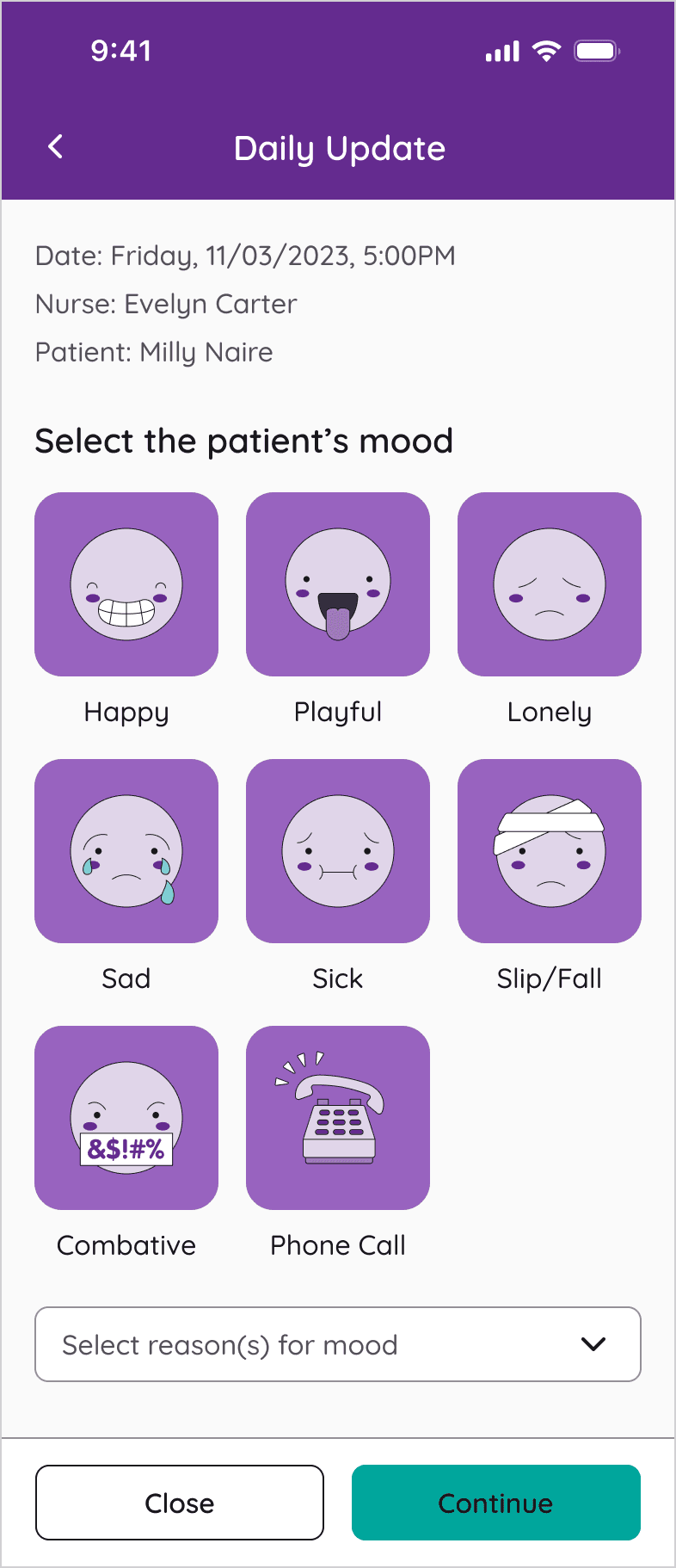
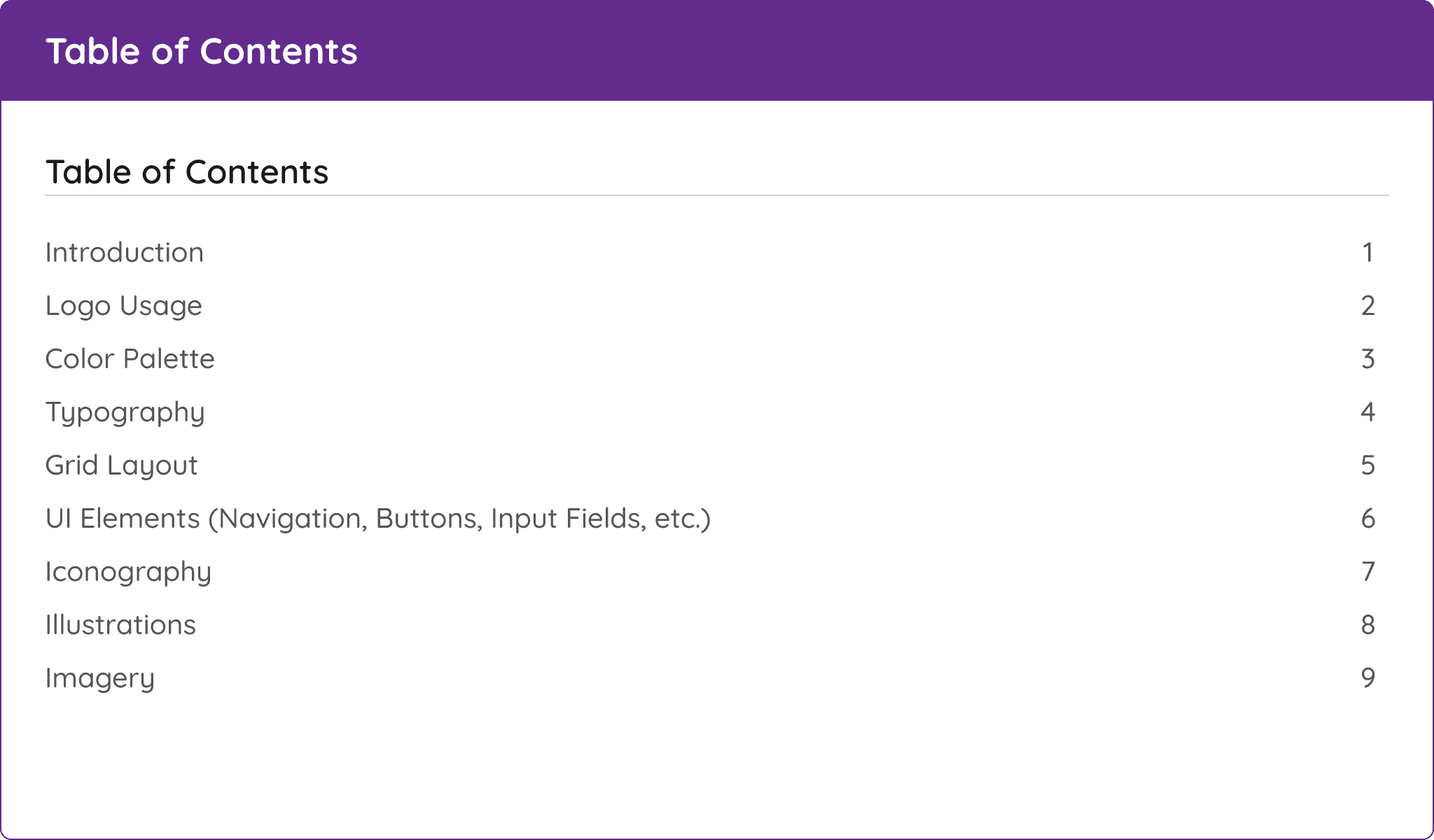
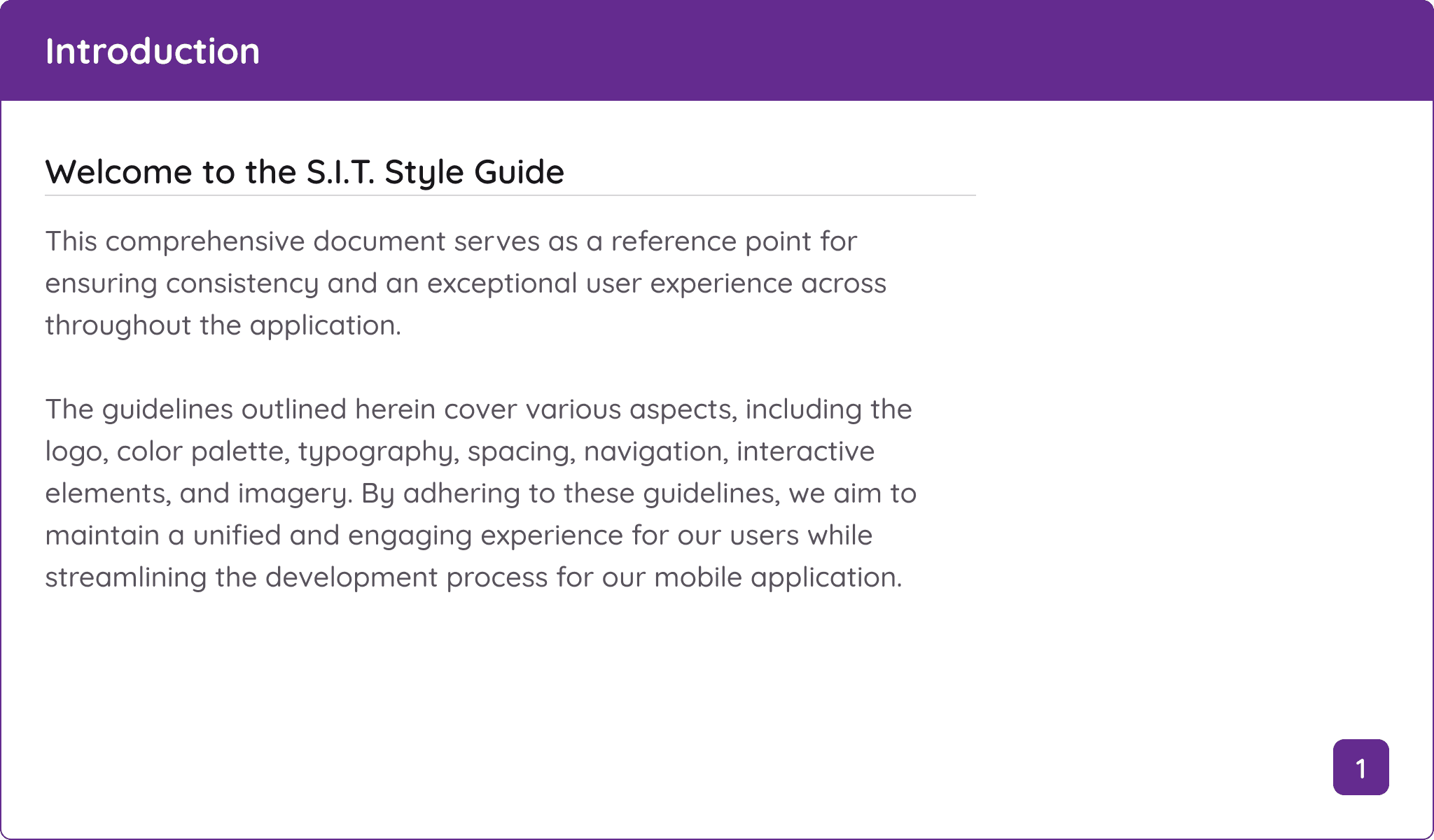
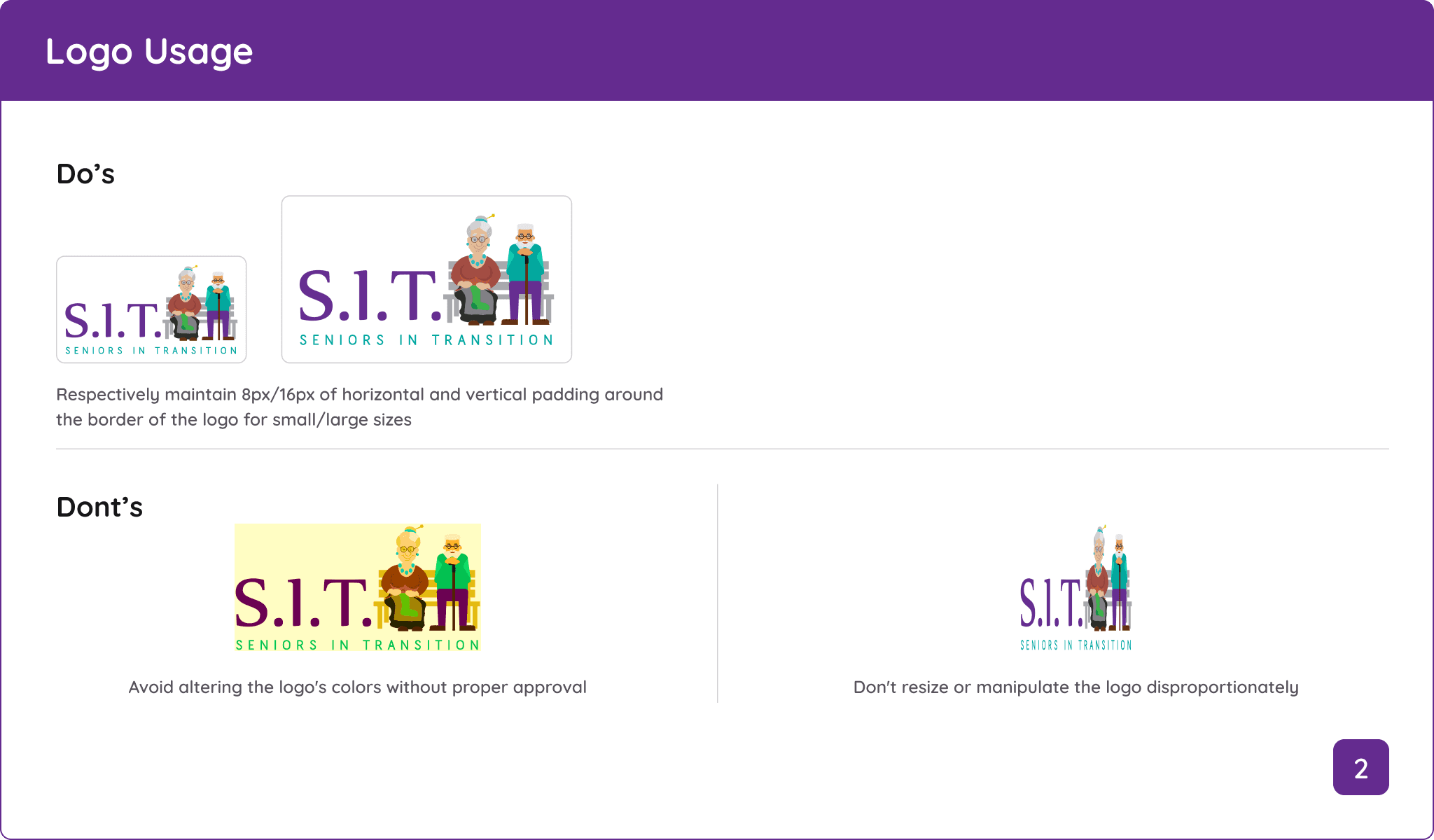
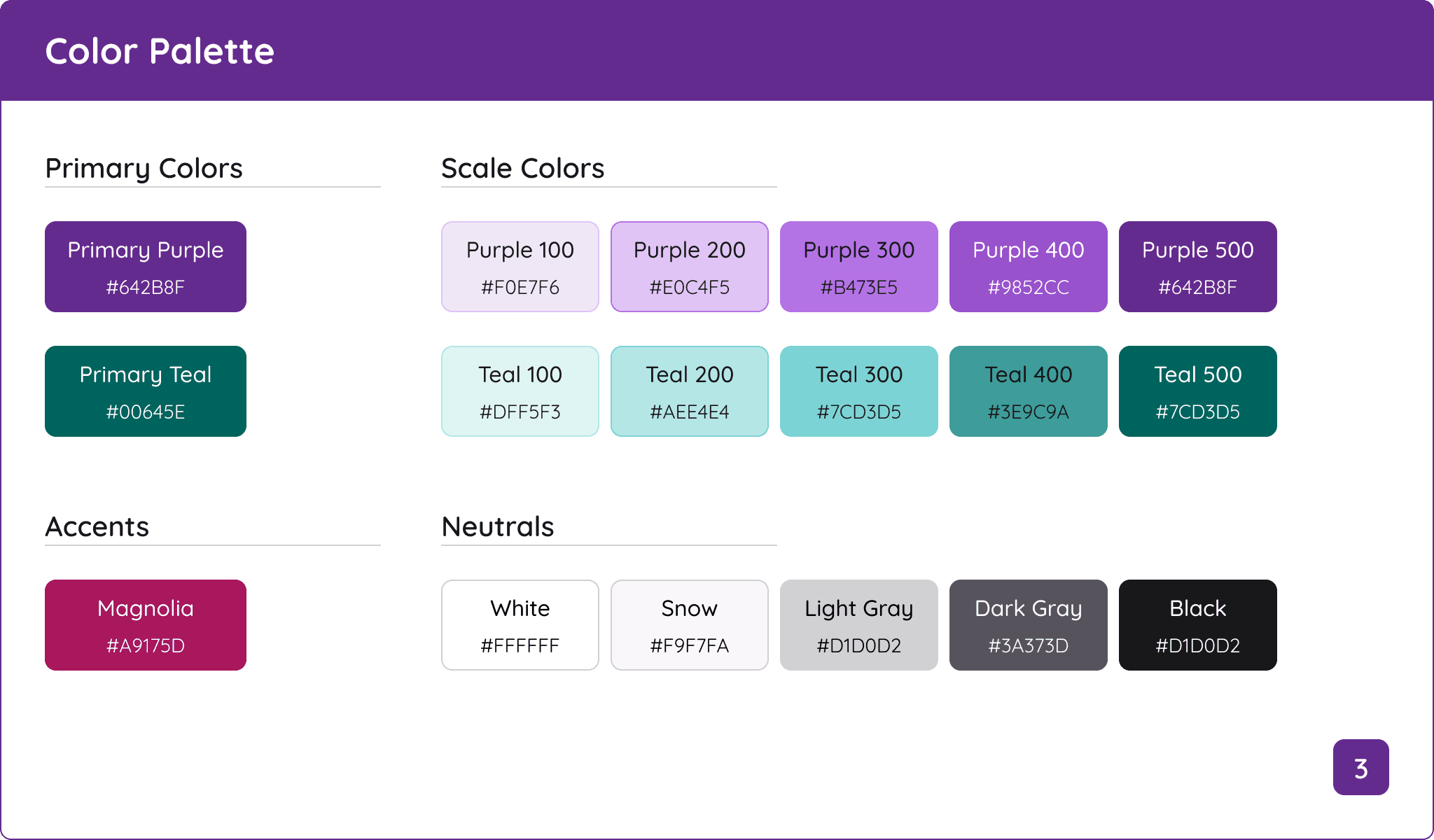
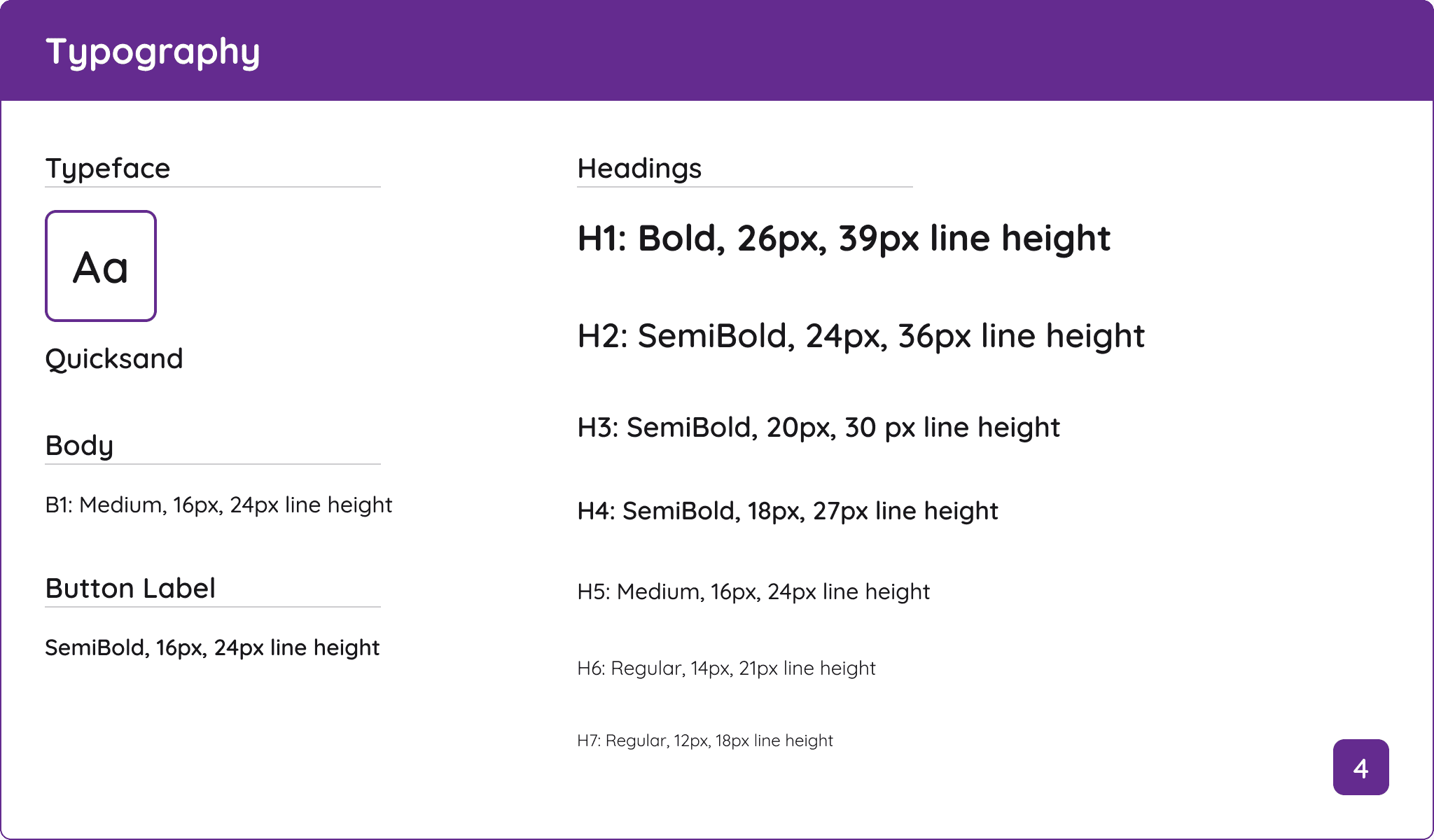
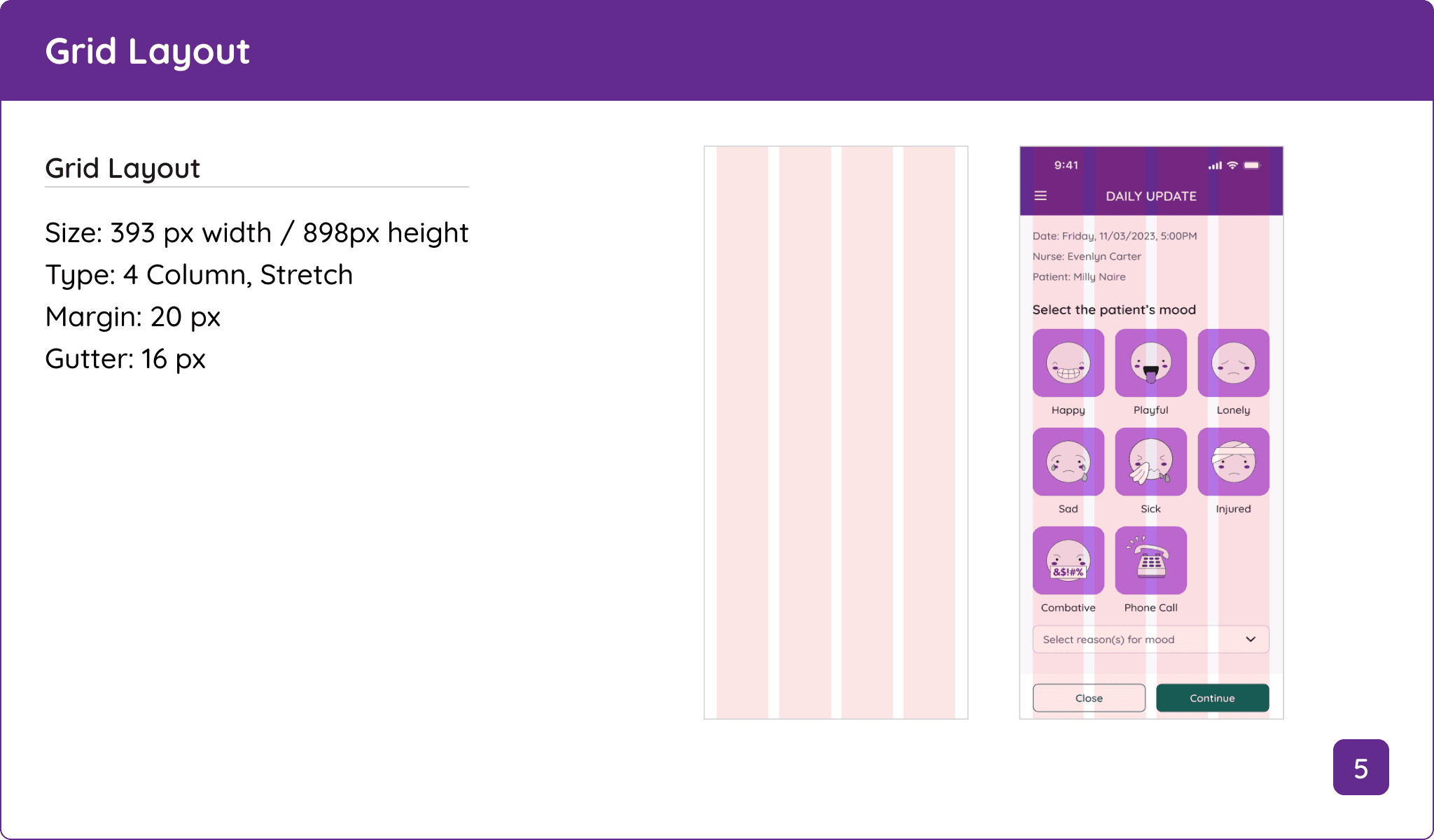
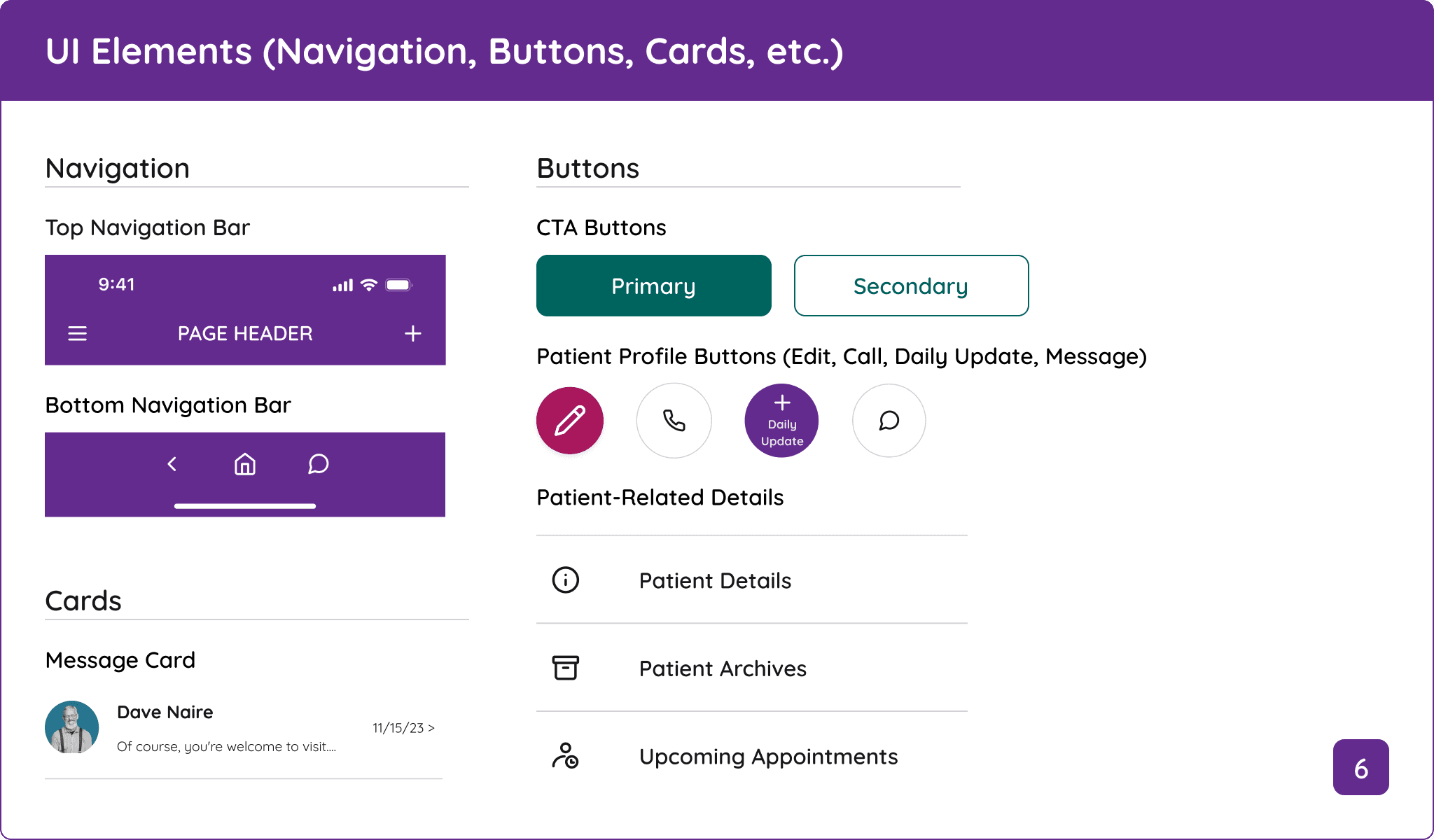
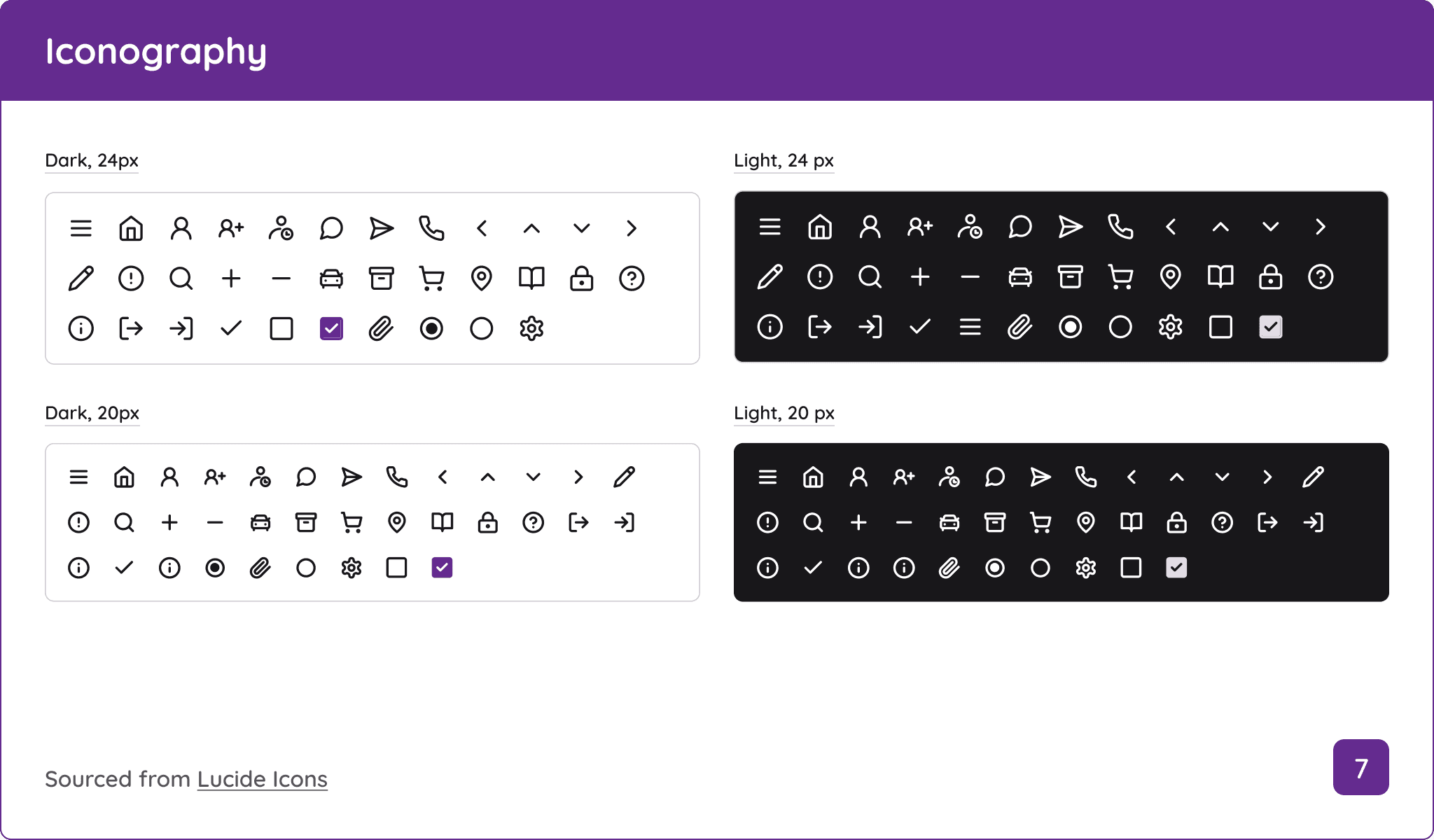
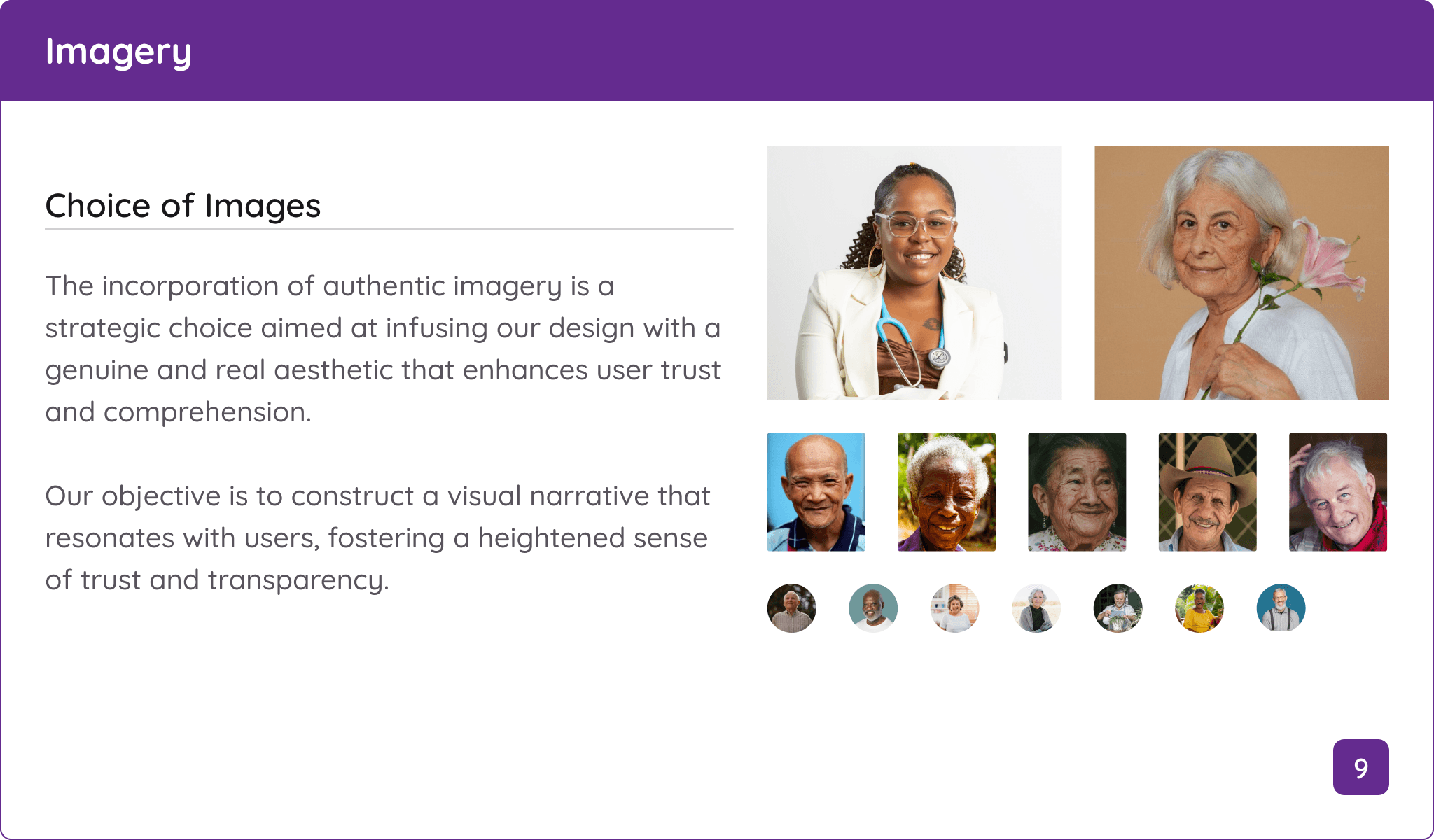
Once the client reviewed and approved the UI Iterations, the next step was to create a comprehensive style guide to outline S.I.T.'s branding and design principles. The client stated at the beginning of the project that this resource wasn't available, so we made extensive notes on the design language of the app and website to serve as a reference.
During my evaluation of the S.I.T. website and app, I identified two critical design inconsistencies:
The fill colors for both the CTA button's container and text failed to satisfy a 4.5:1 contrast ratio.
The website and mobile app use two different typefaces, creating visual inconsistency across both platforms.
These issues were essential for my team and I to address as they violated accessibility best practices and could negatively impact the user experience.
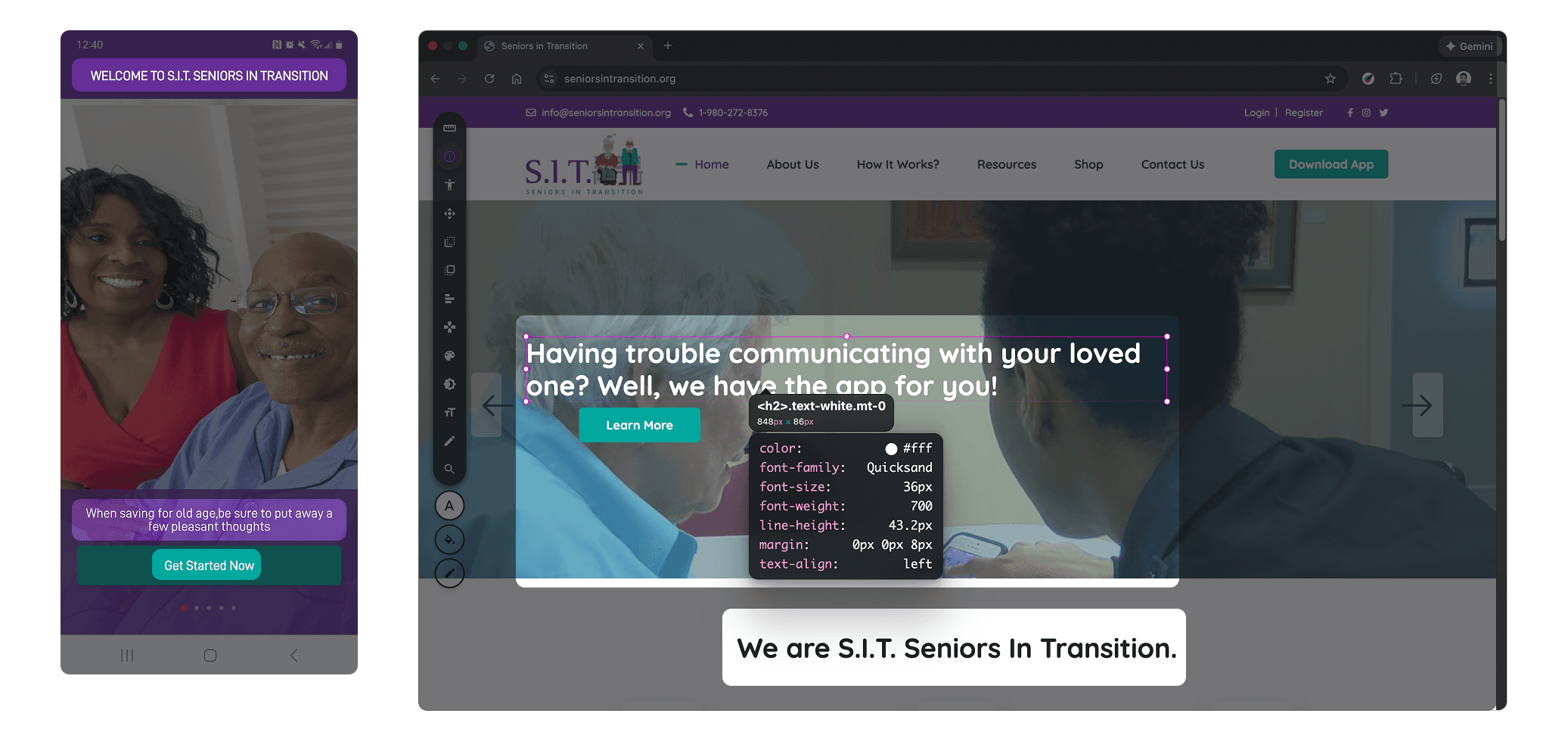
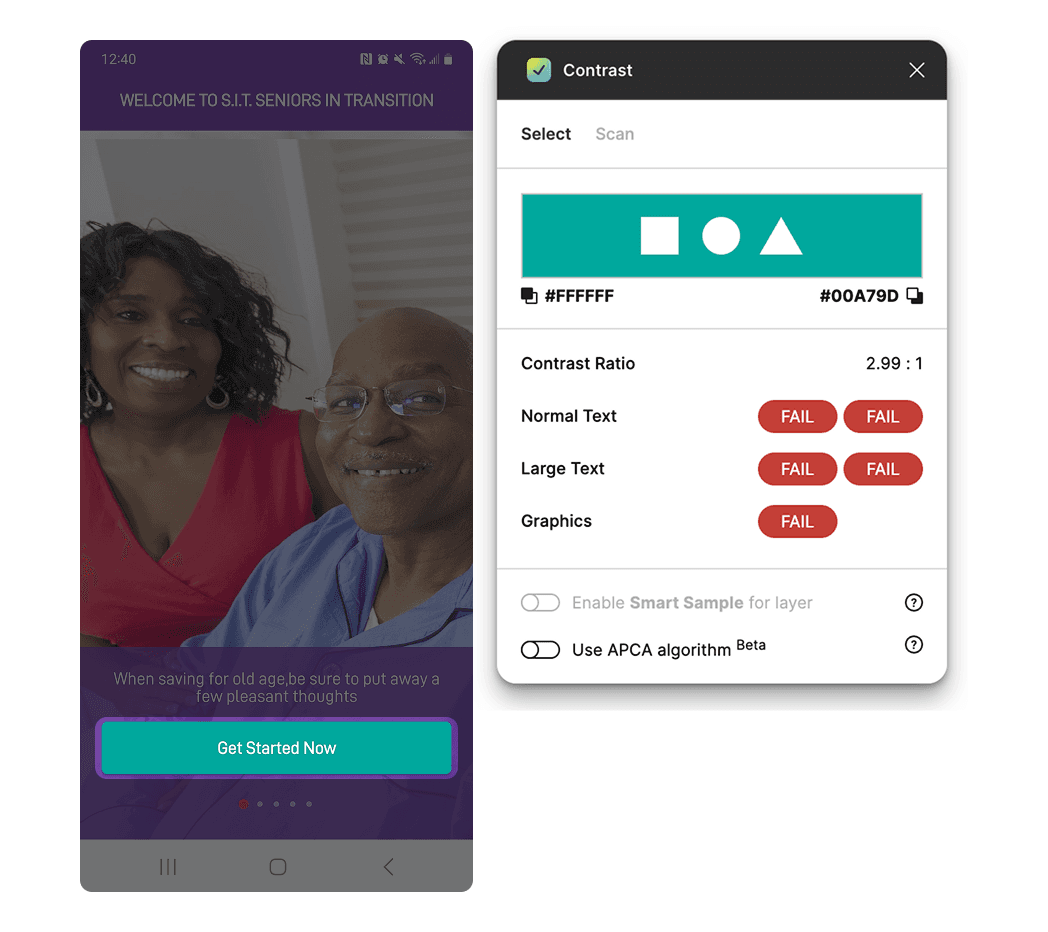
After discussing these concerns with the client, my team and I proposed solutions:
A darker teal fill color for the button container to achieve a AAA contrast ratio.
Applying Quicksand, the font used on the website, as the main font on both platforms to be used for all text elements.
Following an additional round of refinements, the client approved our updates and allowed us to finalize the style guide and move forward.
With the brand guidelines finished, I led my team to finish transitioning the mid-fidelity wireframes into high-fidelity. During this process, we strictly followed the style guide to ensure that all screens were designed consistently and that the new UI elements reflected the newly refined color palette.
DEVELOPER HANDOFF
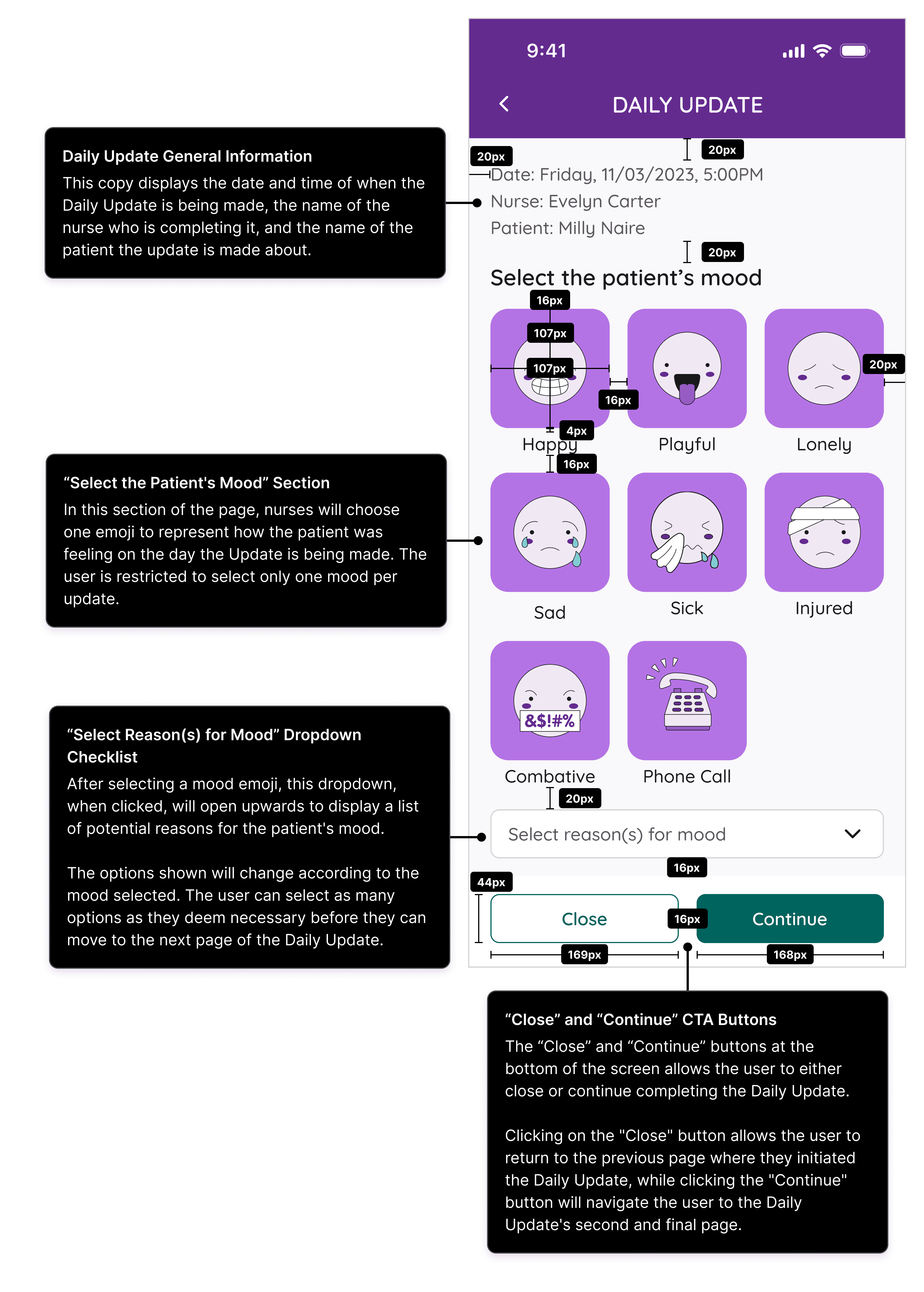
Before we delivered our work to the development team, my team and I crafted a developer handoff document that detailed the workflows, functions, and size and spacing specifications of each UI element in the high-fidelity wireframes.
This was done to add more context to each screen to help alleviate potential confusion the development team may experience during the building process.
REFLECTION
Leading this project was a wonderful experience as the challenges I faced honed my leadership skills and refined how I communicate with stakeholders and manage project deliverables. While there's still more work to be done with the new Daily Update feature, I believe that our work here is a great first step at alleviating the exhaustive communication process between nurses and the families of their elderly patients.
Designing high-fidelity screens without access to users will always be a huge hurdle to overcome. For Seniors in Transition, this was especially daunting because possessing user data would've better elucidated the needs, goals, and frustrations of nurses responsible for monitoring multiple elderly patients.
Despite being devoid of those essential insights, I led my team to conduct secondary research and market analysis to better comprehend the caregiving industry. This effort allowed me to shape a fundamental basis for the Daily Update's messaging capabilities and further build upon it according to the client's expectations.